
Purchase update for CRP129, CRP229 and SCANPAD (Ver. 1.01)
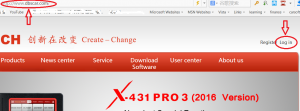
1. Start your web browser, visit www.dbscar.com, click Log in.
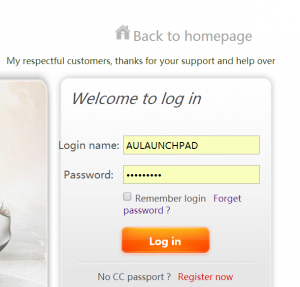
Enter Login name and Password and click on Log in button.
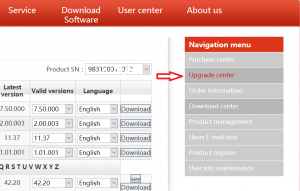
Click on Upgrade center.
Customer can update what they choose or whole software package. To update what you choose, click on the Manufacture (Arrow 1), then click on Subscribe button (Arrow 2).
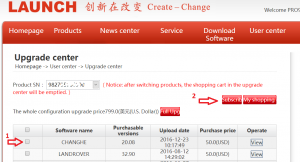
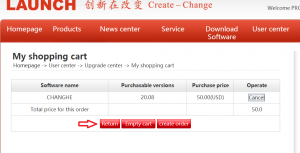
Then it will come up shopping cart page, click Return button, don’t click on other button. Order is generated.
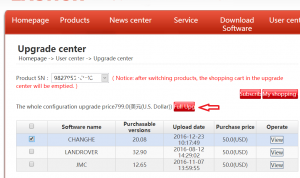
To update the whole package, click on Full Upg button.
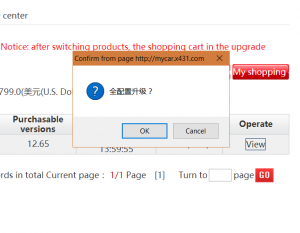
A message box will come up, click on ok button.
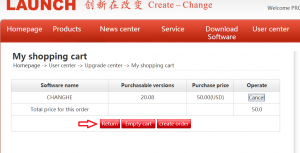
Then it will come up shopping cart page, click Return button, don’t click on other button. Order is generated.
Click on Order information to check order number.
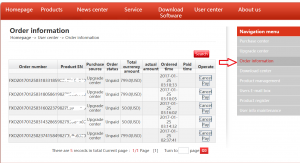
Email or call with the Order number and Product SN to Launch Australia 02-8678 5869 to make a payment.
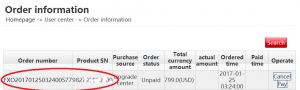
After payment and wait for the confirm call from Launch Australia, then your can update your machine.
Note: By Launch Policy, once the payment has been made, there is no refund.